Migrating to current PHP versions on your own is a complex task that requires specialized knowledge and experience. Mistakes can lead to Bitrix malfunctions, as well as issues with modules and custom modifications. As a result, the site owner may lose revenue and part of their audience.
Onelab web studio provides services for migrating Bitrix websites to PHP 8. We carefully plan the migration process to minimize website downtime during the update. Our specialists are ready to handle module configuration and adjust custom developments if any issues arise during the transition to the new PHP version.
How to identify the issue
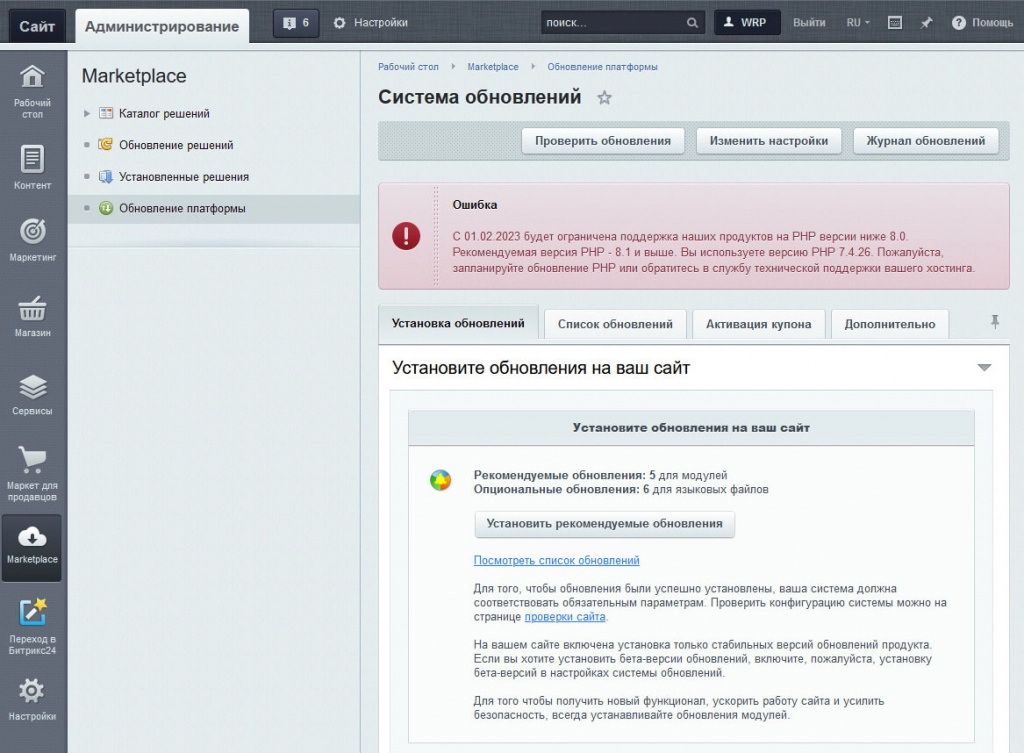
Migrating Bitrix is necessary if the server is running a PHP version below 8.0. The administrator can detect the issue from notifications displayed in the CMS.
The platform developers warn that starting February 1, support for products running on outdated versions will be discontinued. Therefore, it is important to take timely action to update PHP.
There are two possible scenarios:
- If the company uses its own server, the administrator handles the required software update independently.
- If the site runs on a dedicated or virtual server, the update process depends on the hosting provider's policies. In this case, you should contact the hosting support team.
However, updating PHP is only part of the task. The website must also be migrated while preserving its functionality, which is best entrusted to professionals.
Stages of migrating to PHP 8
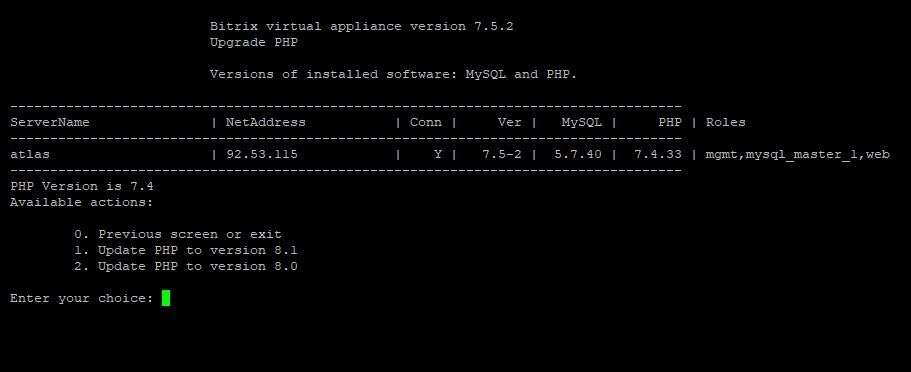
Updating the Bitrix virtual machine to PHP 8.0, 8.1, or higher follows the scheme below.
System testing
The first migration step is checking the website’s functionality on the new PHP version. It is recommended to create a test server and transfer the CMS along with installed modules and customizations.
This step ensures the website will function correctly with installed plugins. It also helps identify incompatible modules and find replacements or adjust the system code.
Website backup
Before beginning the process, we create a full website backup, which allows restoring the site in case of unforeseen issues. It is recommended to create backups before any update or modification of the CMS. This helps quickly restore the system if something goes wrong during the update.
We also offer setup of regular automated backups to protect data from loss due to failures, hacking attempts, or update errors.
Plugin updates
If the site uses third-party plugins, it is recommended to update them to the latest version. Developers usually adapt their products for PHP 8 compatibility, helping maintain Bitrix website stability.
Some templates include custom modules, so both the main template and its modules must be updated.
Core update
We update Bitrix following the CMS developer’s recommendations. Our specialists have extensive experience updating the system for various clients and can prevent potential issues before they occur.
Custom code review
After updating the CMS core, it is necessary to verify that all custom code modifications continue to function correctly.
It is recommended to test features on a test server and, if necessary, make adjustments to ensure PHP 8 compatibility before applying the changes to the live site.
Updating PHP to version 8.0 or higher
Starting from version 7.5.0 of the Bitrix virtual machine, migration to PHP 8 is available. Some issues may arise with third-party modules, which our specialists resolve through custom modifications.
Benefits of migrating with us
By ordering a PHP 8 migration for your website from our company, you receive the following advantages:
- We provide a full range of turnkey services;
- We guarantee stable website operation after the migration is completed;
- If necessary, our specialists will reconfigure modules or adapt the code for compatibility with the new PHP version;
- The work is completed as quickly as possible;
- We also offer additional configuration and maintenance services for Bitrix websites.